StoreNex Try-On for online stores

Let shoppers see it on themselves before they buy.

Virtual try-on
on the shopper’s own photo

StoreNex Try-On is a virtual try-on for clothing stores. The shopper taps a button on the product page, uploads a photo and sees the item on themselves in a few seconds. The photo is not stored. It works on Horoshop and on any site through a JS widget; the Shopify app is in beta. Plans are monthly with try-ons included, and a try-on counts only once the result is ready.

No new checkout, no API keys in the browser, no extra fees.
✓Horoshop and a universal code in the first wave ✓The widget speaks your store’s language ✓From $19/mo with 75 try-ons included
The interface is an example, not data from real stores
Try-On · product page
Interface example
product photo
Dresses › MidiLinen midi dress, olive$54
SMLXL
Try it on meAdd to cart
Your try-on
Shopper’s photofrom a phone
shopper’s photo
+
product photo
Linen midi dress, olive$54
Results
shopper wearing the dressDone
S
Shopper
I wonder how this dress would look on me.
S
Store owner
Shoppers’ photos never end up in our catalog.
M
Manager
Orders go through the usual cart. We didn’t move anything.
Product page · StoreNex Try-On
Demo catalog
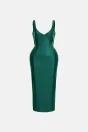
Corsetry dress by BAZHANE: product photo
Corsetry / BAZHANEA dress from our demo catalog
Try on Add to cart
Virtual try-onA separate secure window · the photo never becomes part of the catalog
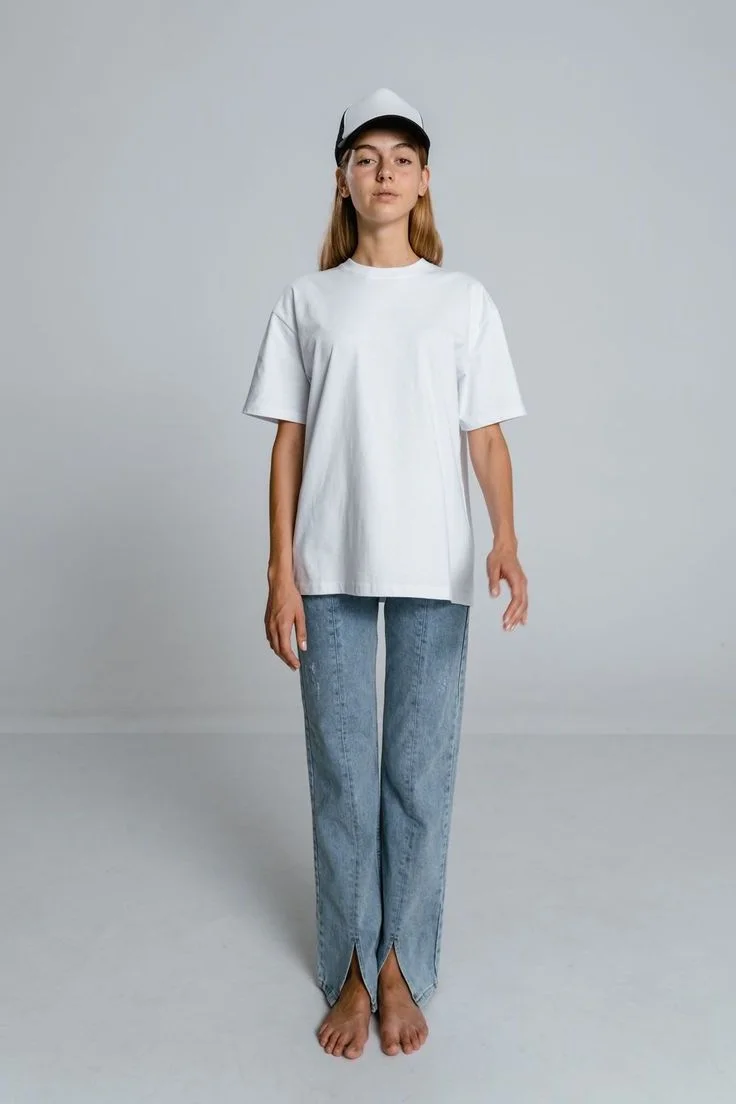
AI try-on result for the Corsetry dress by BAZHANE The shopper’s original photo
↔
Before After · AI
Left: the original photo; right: the AI try-on result. Drag the slider to compare. A real StoreNex Try-On generation. An AI visualization, not a fit guarantee.
The problem›

“How would it look on me?”

01
The shopper hesitates

They can’t picture the item on themselves, put the purchase off “for later” and often never come back.

02
The model photo doesn’t answer it

A photo on a model shows the item but doesn’t answer the main question: how it will look on this particular shopper.

03
Other services pull shoppers off the site

To try something on, the shopper has to go to another service, and nothing makes them come back to the cart.

How it works›

From the first click to the purchase, with no extra steps

1
Connect your store

Choose Horoshop or add the universal code. The service keys stay on the server.

2
Set the rules

Upload the catalog and set categories, mode, limits and the button look in the preview.

3
Publish with control

Every publication has a version, so you can roll back to earlier settings. The result is stored in the session, not in your catalog.

Integrations›

One dashboard for different platforms

We don’t duplicate the cart or ask you to move the catalog. StoreNex Try-On works on the product page, and the shopper checks out in your usual cart.

Open the setup settings ↗
01 Horoshop Done
02 Universal JS Done
03 Shopify · app under review in the Shopify App Store Beta
04 WooCommerce Planned
The difference›

Try-on right on your store’s site

The “Try on” button sits on your product page. Shoppers don’t leave for other services: they try the item on, pick a size and add it to the cart on the same page.

A button on the product page
Try-on sits next to the “Add to cart” button.
The shopper stays on your site
No need to go to another service to try an item on.
Your usual cart
Orders go through your cart; there’s no need to move the catalog.
Privacy›

The shopper’s photo never becomes part of your catalog

The widget opens a separate secure window. StoreNex Try-On keeps the uploaded photo only in memory during the request. The result may stay in a secure cache for up to 60 minutes.

  • Consent before the photo goes to the AI
  • The uploaded photo exists only during the request
  • A technical action log
What the store gets›

A fitting room on every product page

In plain words: what appears on your site and in the dashboard.

The “Try on” button
Appears on your store’s product page; you see the button look in the preview.
A result in seconds
The shopper sees the item on their own photo before buying.
Rules and categories
You decide the categories, mode and try-on limits.
Publication versions
Every publication has a version, so earlier settings can be restored.
Pay per result
A try-on counts only once the result is ready; a technical retry doesn’t use up your plan.
Daily and monthly limits
Set spending limits for each store in the dashboard.
“Buy this item” after the try-on
On Shopify, the button after the try-on adds the product to the cart right away.
Your store page’s language
The widget speaks the language your store page is open in.
Different Horoshop templates
The product photo is picked up correctly from the page on different Horoshop templates.
Pricing›

Start with a pilot in your store

Pick a plan: on Shopify you approve it in Shopify billing, other stores pay through WayForPay. Once the payment is confirmed, the plan’s monthly try-ons are added to the store automatically. Store limits are set separately in the dashboard.

AI try-on from $19/mo A try-on counts only once the result is ready. A technical retry doesn’t use up your plan.
Starter
To test demand on selected products.
$19/mo
75 try-ons a month
then $0.27 per try-on
Choose the plan
Growth
For regular try-ons across the catalog.
$49/mo
200 try-ons a month
then $0.26 per try-on
Choose the plan
Pro
For steady traffic and a large catalog.
$129/mo
550 try-ons a month
then $0.25 per try-on
Choose the plan
Plans renew monthly. Try-ons beyond the plan cost $0.25–0.27 each, capped at twice the plan price a month. Shopify stores pay in USD through Shopify; other stores pay in UAH via WayForPay at the day’s NBU rate. Updated Nov 2, 2026 · US prices
StoreNex Try-On at a glance
What it is Virtual try-on for clothes on the shopper’s own photo, for online stores
Platforms Horoshop and Universal JS: ready; Shopify: beta; WooCommerce: planned
Shopper’s photo Only in memory during the request; never becomes part of the catalog
Results May stay in a secure cache for up to 60 minutes
Payment Monthly plans: USD through Shopify billing on Shopify, UAH via WayForPay elsewhere
Packs 75 try-ons for $19/mo · 200 for $49 · 550 for $129; then $0.25–0.27 each
Charges Only once the result is ready; a technical retry doesn’t use up the plan
Limits Daily and monthly, for each store
Demo›

Try it without signing up

Virtual try-on demo

Paste a product link or upload a photo of the item, then pick a model. You see the item the way a shopper will.

Loading the demo… No sign-up · 2 try-ons a day
Question›

Frequently asked questions

How does virtual try-on work on a store’s website?

It’s a virtual fitting room for your site: AI clothing try-on right on the product page. The shopper taps “Try on”, uploads a photo and in a few seconds sees the item on themselves, without leaving your store.

Are shoppers’ photos stored?
Does it work with Shopify?
Do I need to move my catalog or cart?
What exactly am I paying for?
Can I cap spending?
Which products is try-on for?

Start with one product

Create a store in the dashboard, check the import and preview the widget before publishing.